
New Features
Enhanced Budgeting & Account Tools
We’ve refreshed the account aggregation and budgeting experience in GoBankFFB. Our current tools have moved to a new provider bringing you a smoother, more reliable and more intuitive way to manage your finances.
What's New
- A modern, streamlined look across web and mobile
- Smarter transaction categorization
- More flexible dashboards and improved insights
- Faster, more reliable connections to your external accounts
What You'll Need To Do
To get the most out of the enhanced tools, you'll be prompted to:
- Reconnect any external accounts you currently aggregate
- Recreate your budgets and savings goals within the new layout
- Adjust your dashboard to match your preferences
Some data may take time to refresh while accounts reconnect, and a few features may appear in new locations—but we’ll guide you every step of the way.
Credit, Subscription, & ID Monitoring
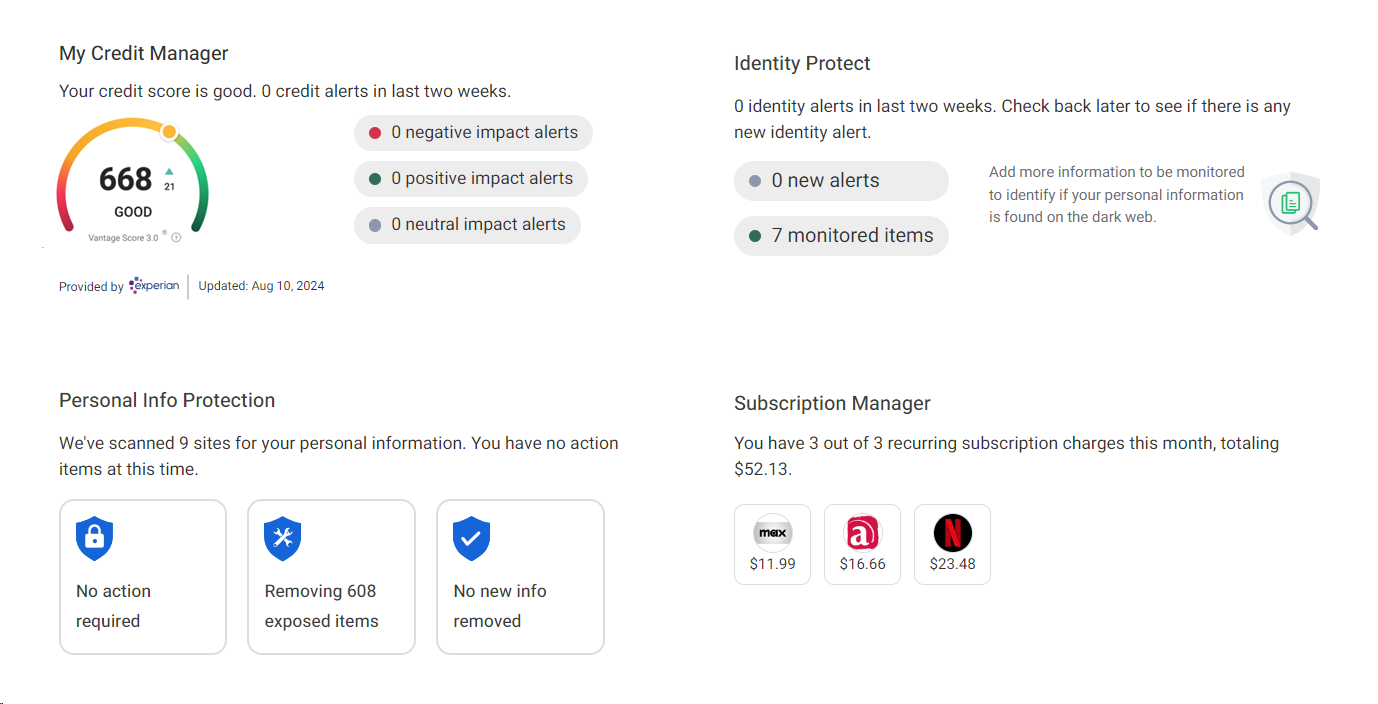
Our new GoBank dashboard card offers a comprehensive suite of identity protection and credit monitoring tools, including a free Vantage credit score 3.0 by Experian®, personal information and identity monitoring, and online subscription tracking. For an enhanced level of protection, our premium services provide additional identity protection, identity theft monitoring, and assistance with canceling online subscriptions directly from your device.
How to Organize Dashboard Cards in GoBankFFB
1. Scroll to the bottom of your dashboard and click "Organize Dashboard".
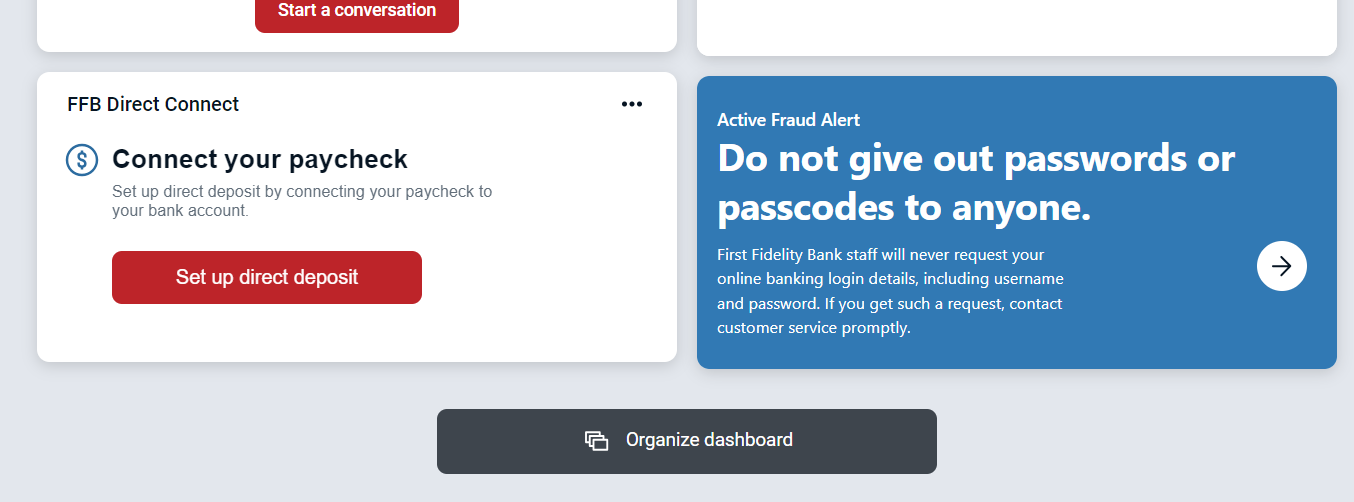
2. Drag and drop the cards to rearrange the order, click the "X" to remove a card you prefer not to see, or click "Add a card" to add cards you may have hidden.
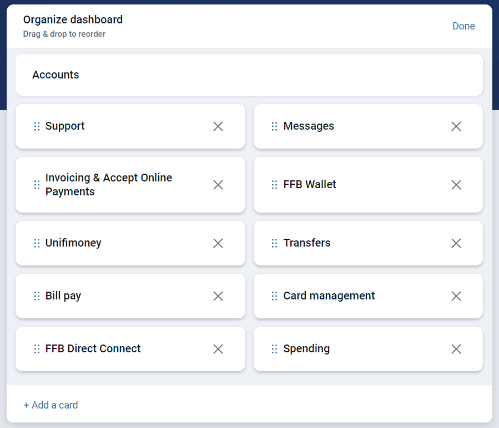
3. In the "Add a card" menu you can click on any missing cards you would like to add to your GoBankFFB dashboard.
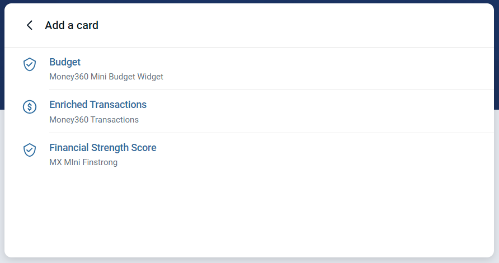
4. After adding the cards you want to view, click the back arrow (<) and click "Done" on the previous page and your missing cards will now show.